Desktop apps

Two desktop apps for
pixel art and sprite sheets.

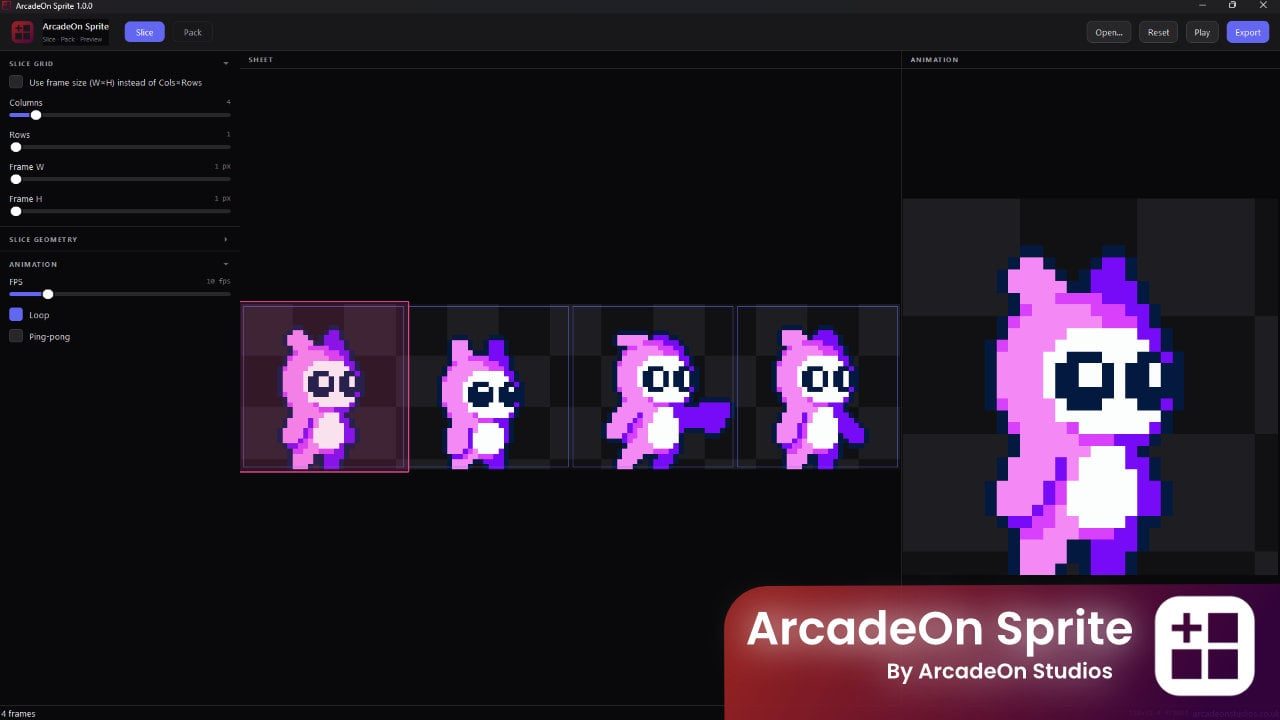
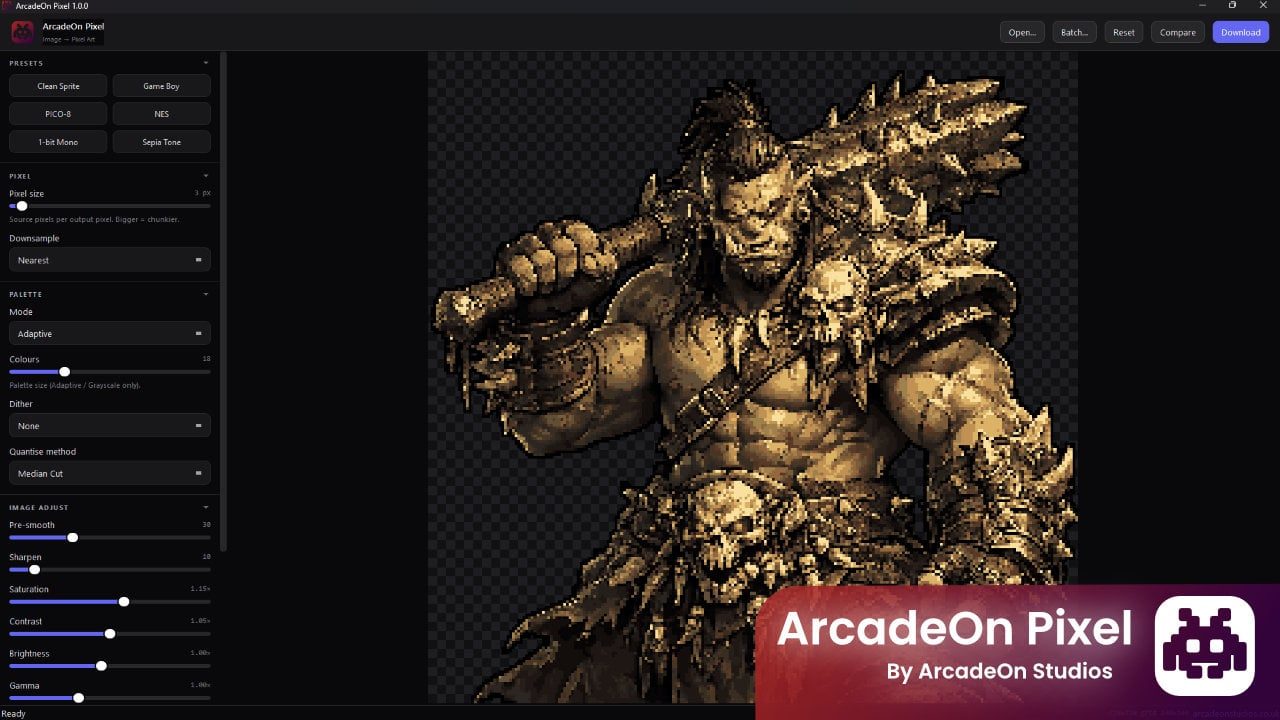
Two native Windows apps we publish under the ArcadeOn Studios name. One turns any image into pixel art with the palette you actually remember; the other slices, packs and previews sprite sheets. Both do their work on your own machine, and both have a free edition.

Native Windows apps Free edition of each No upload, no cloud One-off price, not a subscription

The apps

Both of them, and what they are for.

Two focused tools rather than one that does everything. Both remember your settings between sessions, and both do their work on your machine rather than on a server.

About the free editions. Each app is listed twice on the storefront — once free, once paid — and both listings carry the same description and the same screenshots, so we are not going to invent a comparison between them. Both are linked above: take the free one, and buy the paid edition if you decide you want to.

Where they fit

They start where AnnoMotion hands over.

Everything on the rest of this site generates something new from a prompt or a reference, in the browser, on credits. These two take artwork that already exists — including artwork you made here — and do precise, repeatable work on it locally.

Generate here, restyle there

Make a character with the AI image tools, then run it through ArcadeOn Pixel on a Game Boy or NES palette to get a consistent retro version — with the transparency still intact, so it stays a sprite.

Generate a sheet, then re-cut it

The AnnoMotion sprite sheet generator gives you a grid PNG. ArcadeOn Sprite takes that sheet apart into individual frames, or repacks it to the layout, padding and power-of-two size your engine wants.

Work offline, in bulk

A folder of a hundred images does not need a hundred generations. Batch mode applies one set of settings to every file on your own machine, with no queue, no credits and no upload.

Keep the round trip short

These apps work in ordinary PNGs, so moving between the browser tools and the desktop ones is just saving a file. Nothing has to be imported, converted or re-uploaded.

FAQ

The desktop apps, answered.

Who makes these?

We do. AnnoMotion is an independent UK software studio, and alongside this website we publish a small number of desktop tools under the ArcadeOn Studios name — these two among them. They are a different kind of product from the rest of the site: AnnoMotion generates assets in your browser on credits, and these are ordinary Windows applications you download and run yourself.

Do I need an AnnoMotion account to use them?

No. They are standalone desktop apps with no login, and nothing about them is tied to your account here. Checkout happens on our storefront rather than on this site, so your credits, plan and generation history are not involved either way.

Do they work without an internet connection?

ArcadeOn Pixel states plainly that no internet connection is required and that your files never leave your PC. ArcadeOn Sprite is described as a desktop app with no web upload and no cloud. Both do their work locally, on your own machine.

Is there really a free edition?

Yes, for both. Each app has a free listing and a paid listing on the same storefront, and the two listings carry the same description and the same screenshots — so we are not going to tell you what separates them. Download the free one first and see whether it does what you need.

Can I use what I make with them commercially?

The licence that ships with the download governs each app. Our Terms cover the AnnoMotion services, and section 2 notes that individual products we publish may carry their own licence notices — these two do, so read the one in the download.

Try the free editions first.

Both apps have a free download on our storefront, and neither costs anything to try. Start there, and buy the paid edition only if you decide you want to.