
Learn the whole platform in
a few minutes.
Every tool has a short guide: what you need, what you get, and the steps in order. Start with the three quick ones and you will have made something before the end.
Start here
New to AnnoMotion?
Three short guides, in order. About five minutes altogether, and you will have made something.
Everything else
Browse the guides
Every tool on the platform has one, plus the handful of things worth knowing about how it all fits together.
47 guides
How AnnoMotion works
Make your first asset
Type one sentence, press Send, download the file. The whole loop in about a minute.
How credits work
What a credit is, when it is spent, and what happens when something fails.
Where your files go
Your gallery, collections, and how to get things back out again.
Writing prompts that work
The handful of habits that separate a usable asset from a near miss.
Draft, Standard and High
One dial on every tool, what it actually changes, and when to move it.
The Create page
One box that reaches most of the platform, and how it decides what to make.
From idea to game-ready character
The four common routes through the platform, in the order the tools expect.
Chaining tools with Forge
Build a pipeline once on a node canvas, then run it whenever you like.
Using what you make
Who owns the output, and what you can do with it.
When something goes wrong
Failed runs, stuck jobs, disappointing results — what to do about each.
Art & Sprites

Image Generator
Generate images from a text prompt.
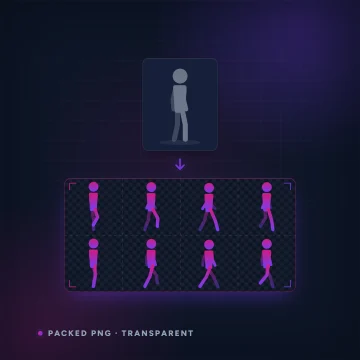
Spritesheet Generator
Animate a single character image into a short clip, then auto-slice it into a transparent, multi-frame sprite sheet.
Restyle & Edit Image
Upload any image, then restyle or edit it with a prompt — change the art style (claymation, watercolour, pixel art…), add or remove objects, or tweak details.
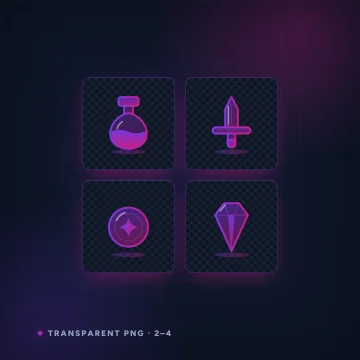
Icon & Item Set Generator
Generate a set of matching, transparent-background game icons from one prompt — potions, weapons, resources, spells.

UI / HUD Kit Generator
Generate a matching set of UI pieces — buttons, panels, bars, frames — with transparent backgrounds, ready to drop into your game HUD.

Parallax Background Layers
Generate a scene as separate scrolling depth layers — sky, midground, foreground — with the front layers cut out on transparency, ready for a parallax background.

Tileset Generator
Generate a seamless, edge-to-edge tileable texture from a prompt and check it against a live repeating preview at 64, 128 or 256 px — perfect for terrain, floors and walls.
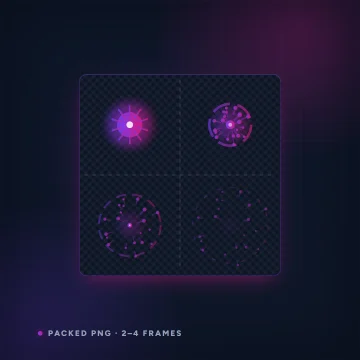
VFX / Particle Sprite Sheets
Render a game visual effect — explosions, smoke, magic, sparks — animate it through its full cycle, then bake every frame into one transparent sprite sheet plus a PNG sequence, ready for your particle/VFX system.

VFX Particle Lab
Build an explosion, smoke plume or magic effect from stacked particle emitters right in your browser, using the free built-in decals or your own AI-generated ones, then bake the result to a transparent sprite sheet or a PNG sequence.

Bitmap Font Generator
Generate a styled 36-glyph sheet (A–Z and 0–9) from a prompt and pack it into a bitmap-font atlas with a JSON glyph map in your browser — drop-in pixel fonts for your UI.

Terrain / Trim-Sheet Textures
Generate a seamless terrain or trim-sheet texture, then extract up to five PBR maps from it — albedo, normal, roughness, metalness and height — ready to drop into a 3D material.

Vector Art
Turn a prompt into a true vector illustration — real paths and shapes, not a picture of them.

Vectorize Image
Upload a PNG, JPG or WEBP and get it redrawn as clean vector paths.
3D & Animation

Image to 3D
Upload a photo — plus a few optional extra angles of the same subject — and turn it into a game-ready 3D model, made inside AnnoMotion Skeleton so you can rig it, animate it and export it for Unity, Godot or Unreal in the same place.

Text to 3D
Describe your asset in a sentence and turn it into a game-ready 3D model — no reference image needed.
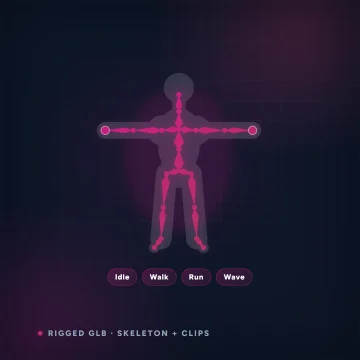
Rig Lab
Load a T-pose or A-pose humanoid GLB and rig it right in your browser — it fits a skeleton to the mesh for you, you drag the joint markers to refine it, then it paints skin weights and previews idle / walk / run / wave before exporting a rigged GLB for Unity, Godot or Unreal.

3D → Sprite Renderer
Turn a 3D model into a 2D sprite sheet — photographed from 4 or 8 directions around the model, at your chosen frame size, with an optional isometric pitch and transparent background.

Auto-LOD / Mesh Optimizer
Shrink a model's triangle count for fast, game-ready LODs — pick a reduction level, preview the simplified mesh, compare original vs reduced triangles and export a lighter GLB.

Text to Motion
Describe a movement — a walk cycle, a jump, a wave — and get a skeletal animation you can drop onto your character.

3D Re-texture
Give one of your 3D models a whole new look from a text prompt — re-skin the same mesh in a different material or style, then download the re-textured model.

Split Model
Cut one of your 3D models into separate parts you can pose, swap or print — a humanoid template that splits a character into limbs with real joints, or an automatic split for any other mesh.
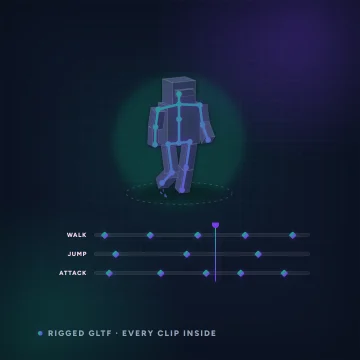
AnnoMotion Skeleton
Make, rig and animate 3D models in one place.
Audio & Voice

Sound Effect Generator
Type a description, get a downloadable .mp3 sound effect.

Music Generator
Type a style prompt, add your own lyrics or let it write them, get a downloadable .mp3 song.

Seamless Music Loops
Generate a music track from a prompt, then set loop points and export a seamless, gapless loop right in your browser — perfect for menus, levels and ambient beds.

Foley / Footstep Packs
Generate a burst of a repeating sound — footsteps, impacts, clicks — as one clip, then slice it into individual variation files in your browser for natural, non-repetitive game audio.

Stem Separation
Split a generated song or uploaded audio into separate stems — vocals, drums, bass, guitar, piano and other — each as a downloadable .mp3.

Voice & Dialogue
Turn written lines into natural spoken voice-over — narration, NPC dialogue, menu prompts.
Video & Cutscenes

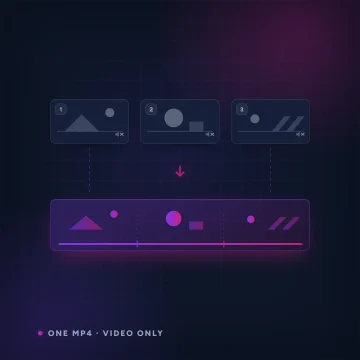
Writing & Design

Lore & Narrative Writer
Generate world lore, quests, branching NPC dialogue trees and item descriptions from a short brief.

Localization
Translate a block of your game strings into another language in one go — keys and placeholders like {player} or %d are preserved untouched, ready to paste back into your project.

Game Design Writer
Generate themed name lists (characters, places, items), item & character stat blocks, or a game-design-document section from a short brief.

HTML5 Game Prototype
Describe a game and get a single, self-contained HTML5 build you can play right away — arcade, puzzle, platformer and more.

AnnoMotion Lattice
Describe a web app or browser game and get a working, multi-file build — every file a node on a canvas you can read, edit and regenerate one at a time, then run full screen.

SVG Logo & Icon
Turn a short brief into a crisp, scalable SVG logo, icon or flat asset — infinitely resizable and ready to drop into your game or brand.
Utilities & Workflow

Nothing matches that. Try a shorter word, or clear the filters.