
AnnoMotion Lattice
Describe a web app or browser game and get a working, multi-file build — every file a node on a canvas you can read, edit and regenerate one at a time, then run full screen. Powered by AnnoMotion AI.
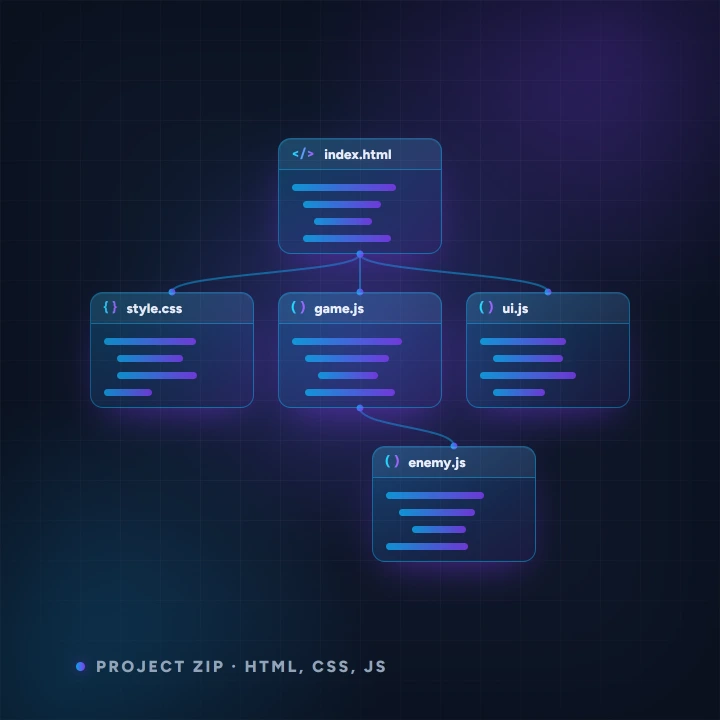
- Before you start
- A description of a web app or browser game.
- What you end up with
- A working multi-file project you can run full screen and download as a zip.
Step by step
-
Describe what to build
Say what it does and who uses it. More concrete is better — screens, actions, data.
-
Read the canvas
Every file in the build is a node. Open one to read it. This is the part people skip and then regret.
-
Regenerate one file at a time
Rather than rebuilding everything when one part is wrong, regenerate just that node. Everything else stays as it was.
-
Run it, then download
Run the build full screen to test it, then download the whole project as a zip with every source file at its proper path.
Worth knowing
- Bigger than the HTML5 Game Prototype: that gives you one file, this gives you a real project structure.
- Regenerating a single node is the whole point of the canvas. Use it before you start over.
Read next
Lore & Narrative Writer
Generate world lore, quests, branching NPC dialogue trees and item descriptions from a short brief.
Localization
Translate a block of your game strings into another language in one go — keys and placeholders like {player} or %d are preserved untouched, ready to paste back into your project.
Game Design Writer
Generate themed name lists (characters, places, items), item & character stat blocks, or a game-design-document section from a short brief.