VFX Particle Lab
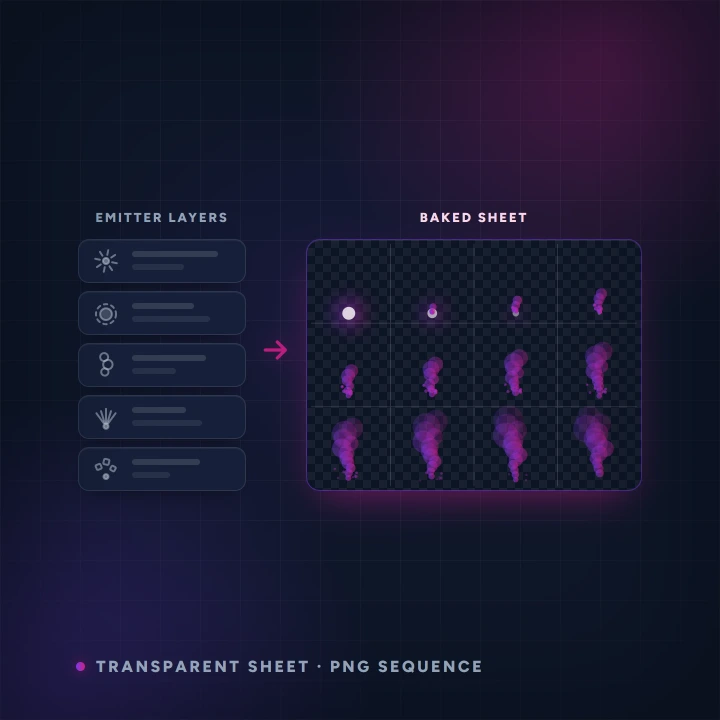
Build an explosion, smoke plume or magic effect from stacked particle emitters right in your browser, using the free built-in decals or your own AI-generated ones, then bake the result to a transparent sprite sheet or a PNG sequence. Powered by AnnoMotion AI.
- Before you start
- Nothing. It runs in your browser.
- What you end up with
- A transparent sprite sheet PNG or a PNG sequence zip.
Step by step
-
Start from a preset
Explosion, smoke plume, campfire, magic sparkle, muzzle flash, dust, rain, snow or portal swirl. Start from the nearest one rather than from nothing.
-
Stack and tune the layers
Add up to six emitter layers and adjust them live — blend mode, physics, colour, the decal each one sprays. Everything updates as you drag.
-
Bake it out
Set the frame size, frame count and rate, choose one-shot or loop, and export.
Worth knowing
- The lab itself is free — the simulation and the bake both run on your machine, and you can export as many effects as you like. How many you keep saved in your library is limited, so delete one you have finished with to free a slot. Only generating a custom AI decal spends credits.
- Additive blending for anything glowing, normal blending for anything solid like smoke or debris.
- Exports carry no watermark on any tier, and the effects are yours to use commercially, with or without a plan.
Read next
Image Generator
Generate images from a text prompt.
Spritesheet Generator
Animate a single character image into a short clip, then auto-slice it into a transparent, multi-frame sprite sheet.
Restyle & Edit Image
Upload any image, then restyle or edit it with a prompt — change the art style (claymation, watercolour, pixel art…), add or remove objects, or tweak details.